
Loading…
Loading…
A small, pre-built appliance with NVRblink already installed and configured - face recognition, number plate recognition, and full remote support for installers, out of the box. Plug in your cameras and power, and it's already recording.
Sell and support it yourself? See how NVRblink works for security installers and resellers.
Hub is sized for 1 to 32 cameras - a small range of fixed hardware configurations, not a scaled-down version of something bigger. Tell us how many cameras you have and we'll match you to the right build; it arrives ready to record - plug in your cameras and power, and NVRblink is already running.
Need more than 32 cameras, or a build for a specific site? Get in touch and we'll talk through what you need.
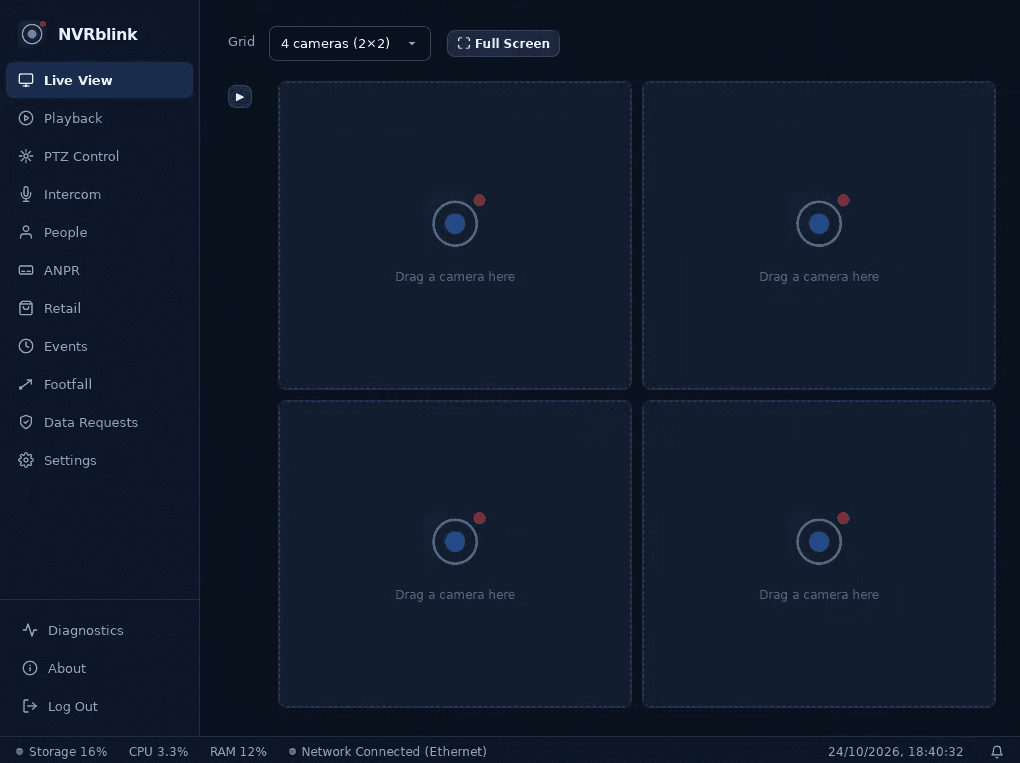
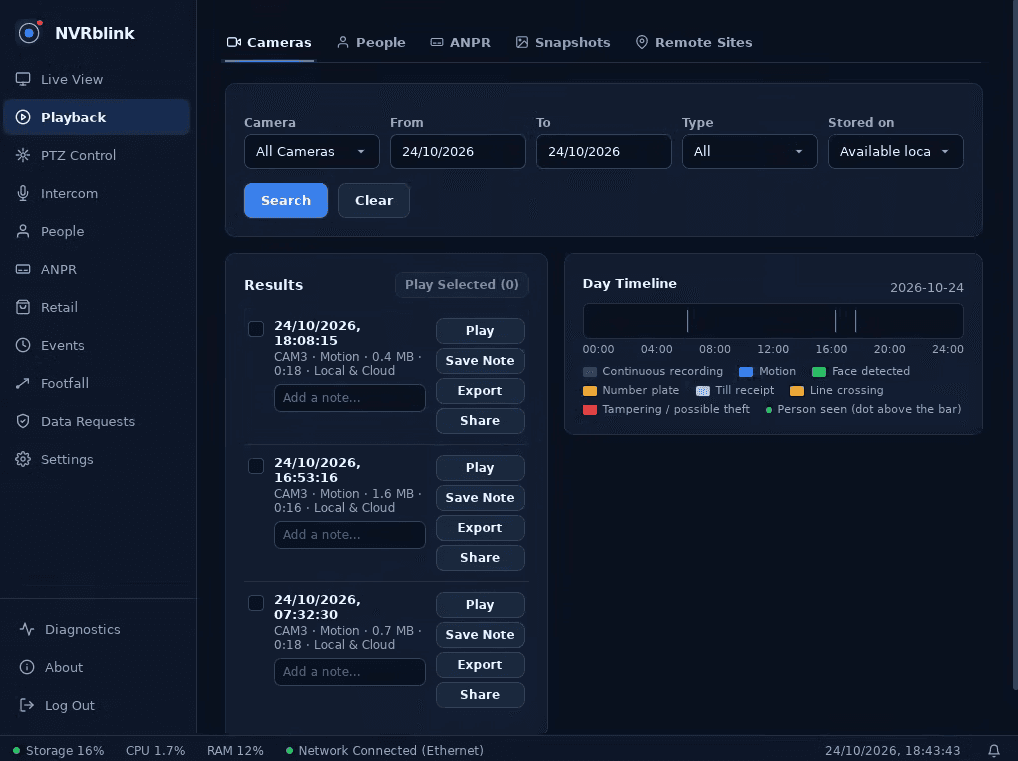
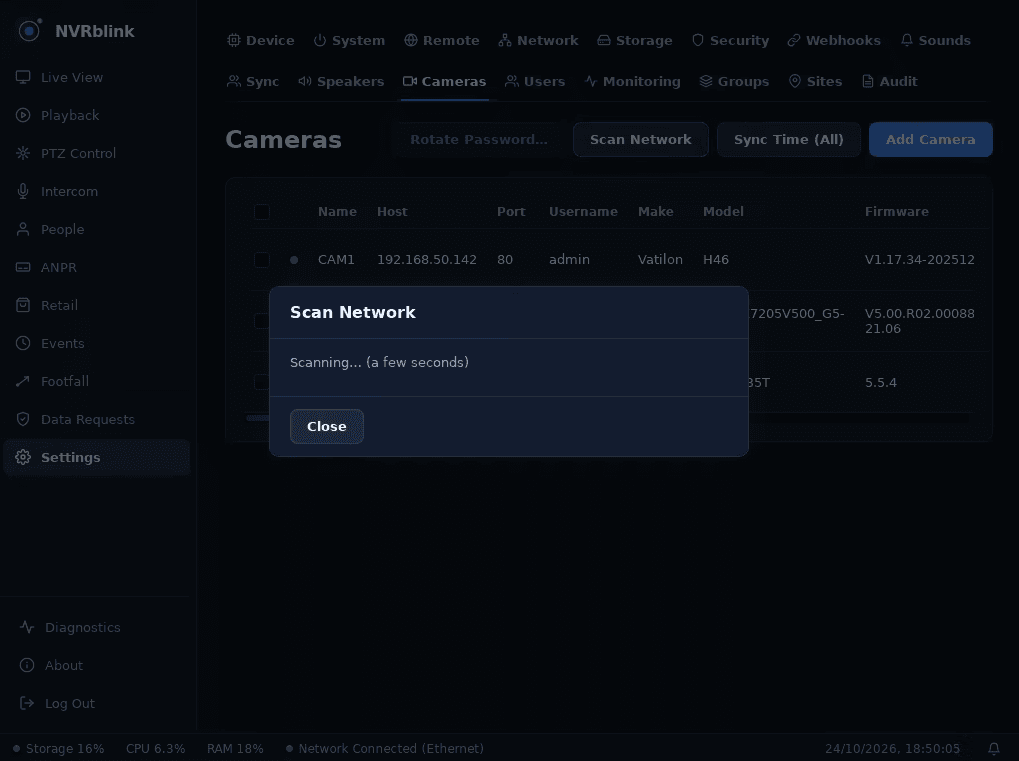
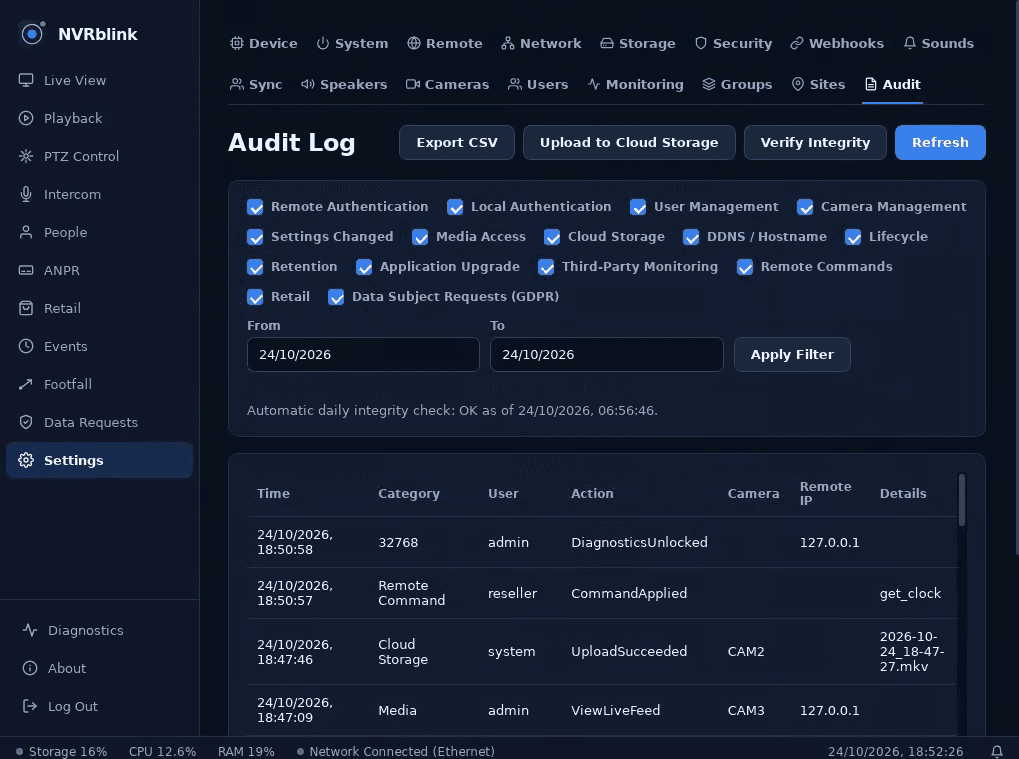
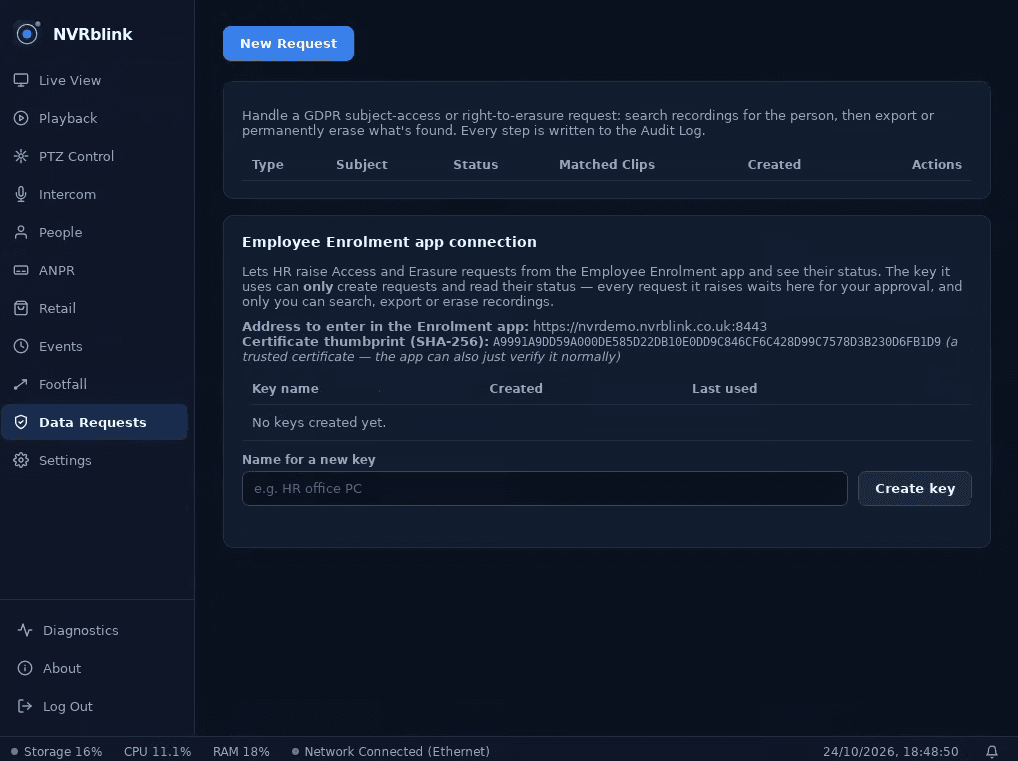
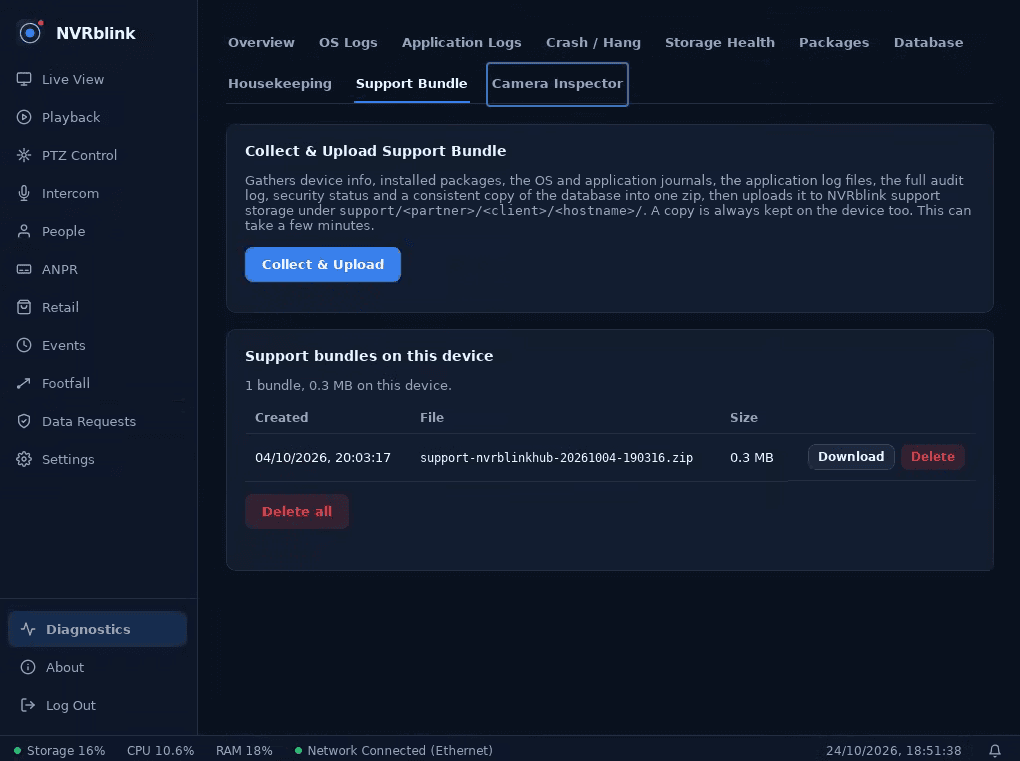
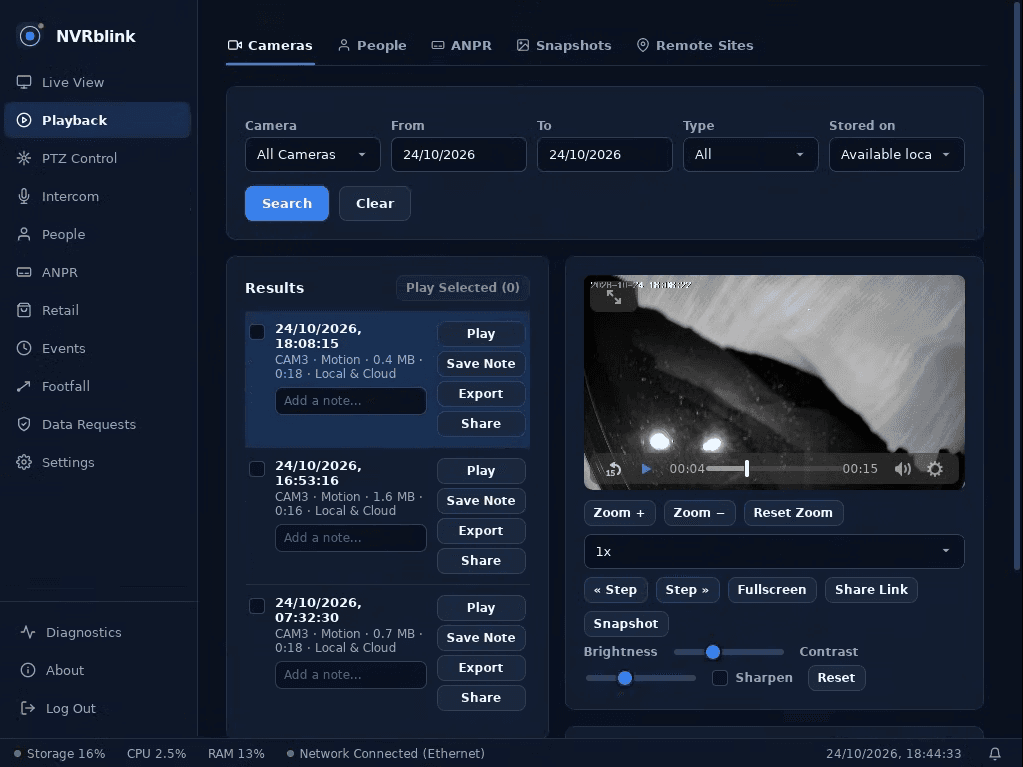
This isn't a mock-up - it's the actual Live View screen on one of our own demo Hubs, watching a real camera right now. The same interface manages every camera on the device, adds new ones, and handles recognition, storage and remote access.
A purpose-built recording engine, running on dedicated hardware.
Record around the clock or only when something moves - set per camera, with adjustable motion sensitivity and post-roll so you never miss the seconds before an event.
Point Hub at your network and it finds ONVIF-compatible cameras itself, test-connects to each one, and lets you pick the exact recording profile and resolution you want.
A drag-and-drop live grid across every camera on the box, sized to how many you actually have - 1 camera or the full 32.
Pan, tilt and zoom a PTZ-capable camera straight from the live view, including an automated PTZ tour for sites that need one camera covering several angles.
Block out parts of a camera's view that shouldn't be recorded at all - a neighbour's window, a public footpath - directly in the recording, not just the live display.
Talk through Hub's built-in speaker/mic jack straight from the live view - no extra hardware, and no dependence on your cameras supporting an audio back-channel. Gated behind a licence entitlement, so it may not show as available on every Hub.
Page out over the network to standalone PoE horn/paging speakers, split into as many zones as a site needs - a front door and a warehouse floor can each get their own announcement. This runs alongside, not instead of, the built-in jack intercom above, with per-speaker enable and test status. Licence-gated.
Get alerted if a camera is covered, blurred, or physically repositioned - catching interference with the system itself, not just what it's pointed at.
Hub manages its own recording storage and retention automatically - no manual housekeeping to keep it recording continuously.
Point Hub at a network share instead of - or alongside - its local disk, over SMB (with its own username, password and domain) or NFS. Set up once in Settings; recording and retention behave exactly the same either way.
If a Hub's drive ever needs replacing, setup can restore your last cloud backup straight onto the new one instead of re-entering every camera and account from scratch.
Two purpose-built services that come with every Hub, no configuration required.
Plug your PoE switch of cameras straight into Hub's second Ethernet port. Our own networking service automatically assigns and maintains every camera's IP address on a network of its own - completely separate from your client's own network, with its own built-in DHCP. The cameras never touch the client's network at all: no IP conflicts, nothing for their IT provider to worry about, and a compromised or misbehaving camera can't reach anything else. Standard across Hub tiers, not a paid add-on.
Our own DNS hostname updater keeps a client's custom hostname pointed at their Hub automatically, polling to detect an IP change the moment it happens and updating the record itself. Remote access keeps working through a change of broadband provider, a router reboot, or anything else that would otherwise silently break it.
Hub doesn't just record who and what passes a camera - it can recognise them. Face Recognition and ANPR run entirely on the device itself, and unlock on a commercial NVRblink licence.
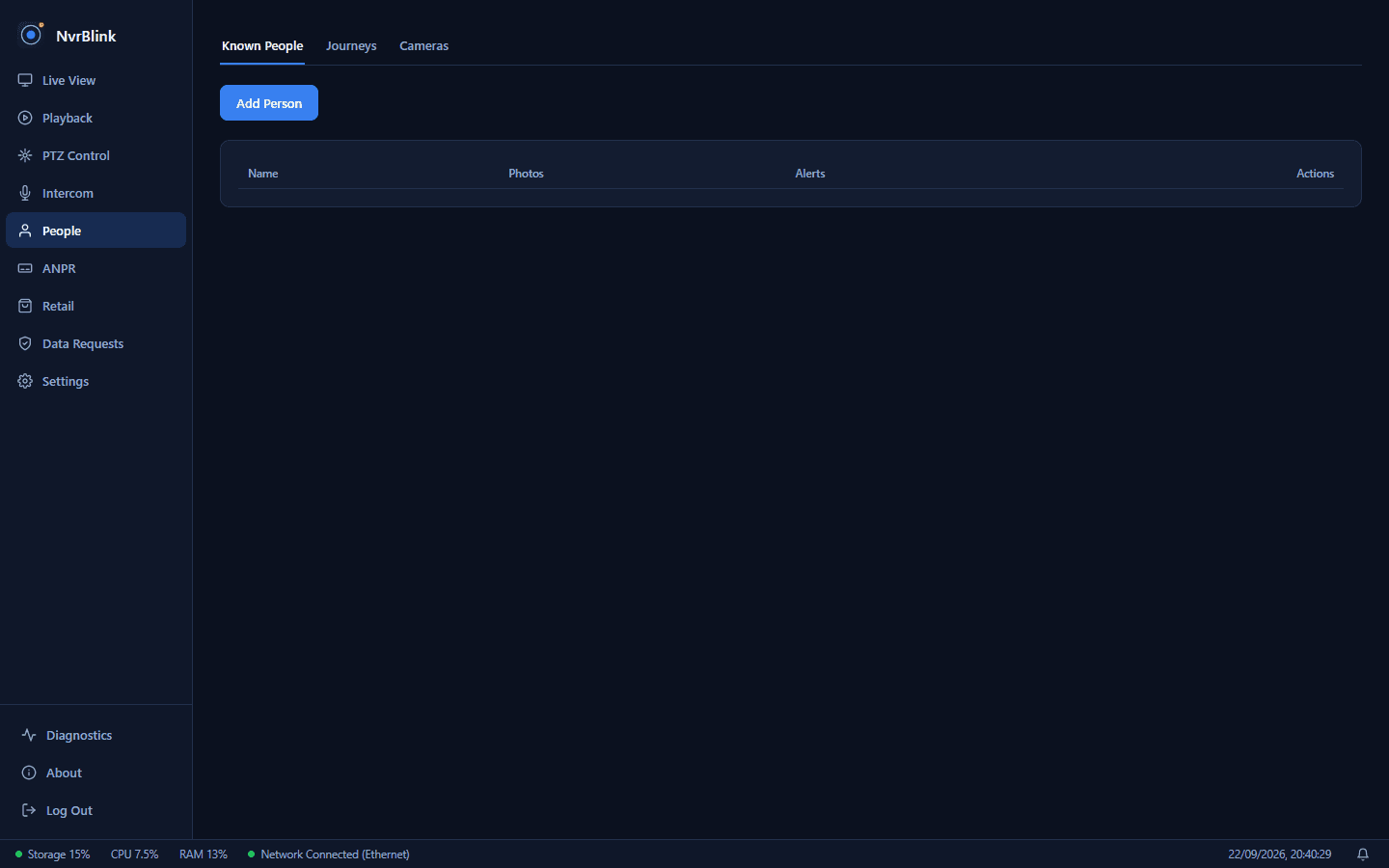
Enrol known faces once, then get an email the moment one of them - or anyone unrecognised - shows up on camera. Every unmatched face is kept in a review queue so you can promote it to a known person later.
Enrol employees once in the Employee Enrolment app and have them sync straight into a Hub's Face Recognition - no re-entering the same person twice. Built and lab-tested; not yet verified on a live customer install.
Reads vehicle plates as they pass a designated camera, checks them against a known list, and emails you on an unexpected match. Every unmatched plate is logged with a photo, sighting count, and timestamp.
A purpose-built suite for shops and retail sites - watchlist alerts, till integration, and AI-assisted concealment detection, all running on the device itself.
Flag a known individual - a known shoplifter, say - and any recognition match anywhere on the system triggers an alert automatically. Enforced on the device itself, not just in the app, so it can't be bypassed.
Hub emulates a standard network receipt printer, so your existing till or EPOS system can print to it exactly like a normal printer - no integration work. The parsed receipt overlays on that till's camera feed for a short window after every sale.
On-device pose-estimation AI watches for a possible concealment gesture - a hand visiting a shelf, then lingering near the body - and flags it for a human to review. It's a prompt to take a look, never an automatic accusation.
The Android, iOS, browser, and Windows Viewer companion apps all connect straight to Hub - nothing new to download or learn.
No software to install on your own PC at all - cameras, users, recognition settings, and everything else are managed from any browser on your network.
Add off-site cloud backup of your recordings, and a free custom hostname for remote access without a static IP, whenever you want them - on the same NVRblink partner account as everything else.
Search recordings by camera across the whole site, then export a clip with a visible watermark, a SHA-256 hash, and an audit-log entry recording exactly what was exported and when - the hash and audit ID are embedded in the watermark itself, ready to stand up as real evidence.
Generate a link to a clip or recording that opens for anyone - no NvrBlink account required - ideal for handing footage straight to police or an insurer. Set an expiry, and the video is watermarked with the site, camera, timestamp and exporter identity, plus a SHA-256 hash burned in as a provenance claim. Every creation, view and revocation is audit-logged, links can be revoked early, and you can email one straight from Hub.
Create a named, scoped API-key connection for an Alarm Receiving Centre or monitoring station, limited to specific cameras. Their software polls it for recent events, snapshots and on-demand clips, and can escalate to live view - enable or disable the connection any time without ever regenerating the key. Requires the monitoring/multi-site licence.
Point a single webhook URL - with an optional shared-secret header for verification - at motion detected, face recognised, plate recognised, camera offline and camera back online. Each call is a small JSON payload with the event type, camera name, UTC timestamp and a details string. Fire-and-forget, so a broken receiver never affects recording, with a "send test webhook" button that reports real failures. Licence-gated.
Hub is licensed and supported through the same NVRblink Partners system for every client you manage - so a fleet of Hub appliances doesn't mean a second, separate way of managing your clients.
Activate a licence against a client and site from your Partners portal, and Hub checks in on a regular heartbeat - giving you a live/offline status for every device you've deployed, without a support call telling you first.
Face Recognition, ANPR, and third-party monitoring integration are all licence-gated features you control from the Partners portal - switch them on or off for a specific client without touching the device itself.
Scoped API keys let your own tools - or a third-party monitoring platform - pull live snapshots, clips, streams, and events from specific cameras only, without ever exposing the rest of the system.
Watching more than one location doesn't mean a second system to manage - or a second thing to lock down. A “Satellite” is a lean, single-purpose Hub for a remote or lightly-staffed site: once it's set up, its own local screen shows nothing but the live camera grid. Every real bit of management - cameras, users, settings, plus live viewing and recent recordings from every site - happens back at your Main Hub.
A Satellite is a lean, single-purpose Hub for a remote or lightly-staffed location - a storage unit, a second small site. Paste its API key into your Main Hub and it's connected.
Once initial setup is done, a Satellite's own local screen shows nothing but the live camera grid - no camera or user management, no settings to misconfigure by accident on-site. Everything else happens back at your Main Hub.
A Satellite at a site you only visit occasionally is expected to drop offline between visits - Hub handles that gracefully, showing a clear "Site offline" status rather than treating it as an error.
Satellite Hubs are licensed separately - get in touch for details.
Everything below runs by default - nothing here is a paid add-on or something you need to remember to turn on.
Every login, setting change, and camera edit is written into a hash-chained audit trail. Alter a past entry and the chain breaks - it's built to make silent tampering detectable, not just logged.
Every settings change is snapshotted automatically, with a field-level diff of exactly what changed and the ability to restore a previous snapshot - real peace of mind if a change ever needs undoing.
Standard TOTP-based 2FA (Google Authenticator, Authy, and similar apps) for admin sign-in, with one-time recovery codes if you lose your device.
Repeated failed sign-ins lock the account out for a cooldown period - a plain, effective defense against password guessing.
Access is controlled screen by screen, not just a blunt admin/user split - give a team member exactly the access their role needs, nothing more.
See every device currently signed in, and revoke any of them - including a one-click "sign out everywhere else" if you're ever unsure who has access.
Repeated failed logins get an IP address banned automatically, with the retry threshold, ban window and lookback period all tunable in Settings > Security - plus live stats on currently-banned and total-banned addresses.
A configurable firewall (ufw) runs on the device itself, on top of the isolated camera network below - another layer between Hub and anything trying to reach it.
SSH access is off by default and can be switched on or off entirely from Settings > Security whenever you actually need it, rather than left running permanently.
Unattended upgrades keep the underlying operating system patched against known vulnerabilities on their own, without needing a manual update run.
Every update package is cryptographically signed and verified before Hub will install it, so a device only ever runs software that's genuinely come from us.
Camera passwords and other credentials are encrypted on disk, never stored in plain text.
Remote access works out of the box over a self-signed certificate, or you can point Hub at your own domain and it manages a genuine trusted certificate via Let's Encrypt automatically.
Optional UPnP port forwarding gets remote access working through most home/office routers without digging through router settings yourself.
Every Hub gets automatic security updates for a minimum of 3 years from activation, independent of any paid support renewal. No default password either - each unit generates its own unique one at install. Full policy, including how to report a vulnerability, on the Security page.
Software specifics for anyone who wants them. Exact hardware specifications per camera-count tier will be published closer to launch.
Built to run natively on Linux - no Windows licence, no Windows updates to manage, on a small, purpose-built appliance.
Connects over ONVIF and RTSP, the standards nearly every IP camera on the market already speaks - no proprietary lock-in to one camera brand.
Face Recognition and ANPR both run entirely on-device using local neural network models - footage and recognition data are never sent elsewhere to be processed.
Cloud Storage, Hostname/DDNS, and commercial licensing all run through the same NVRblink partner account system - no separate account, no separate portal to check.
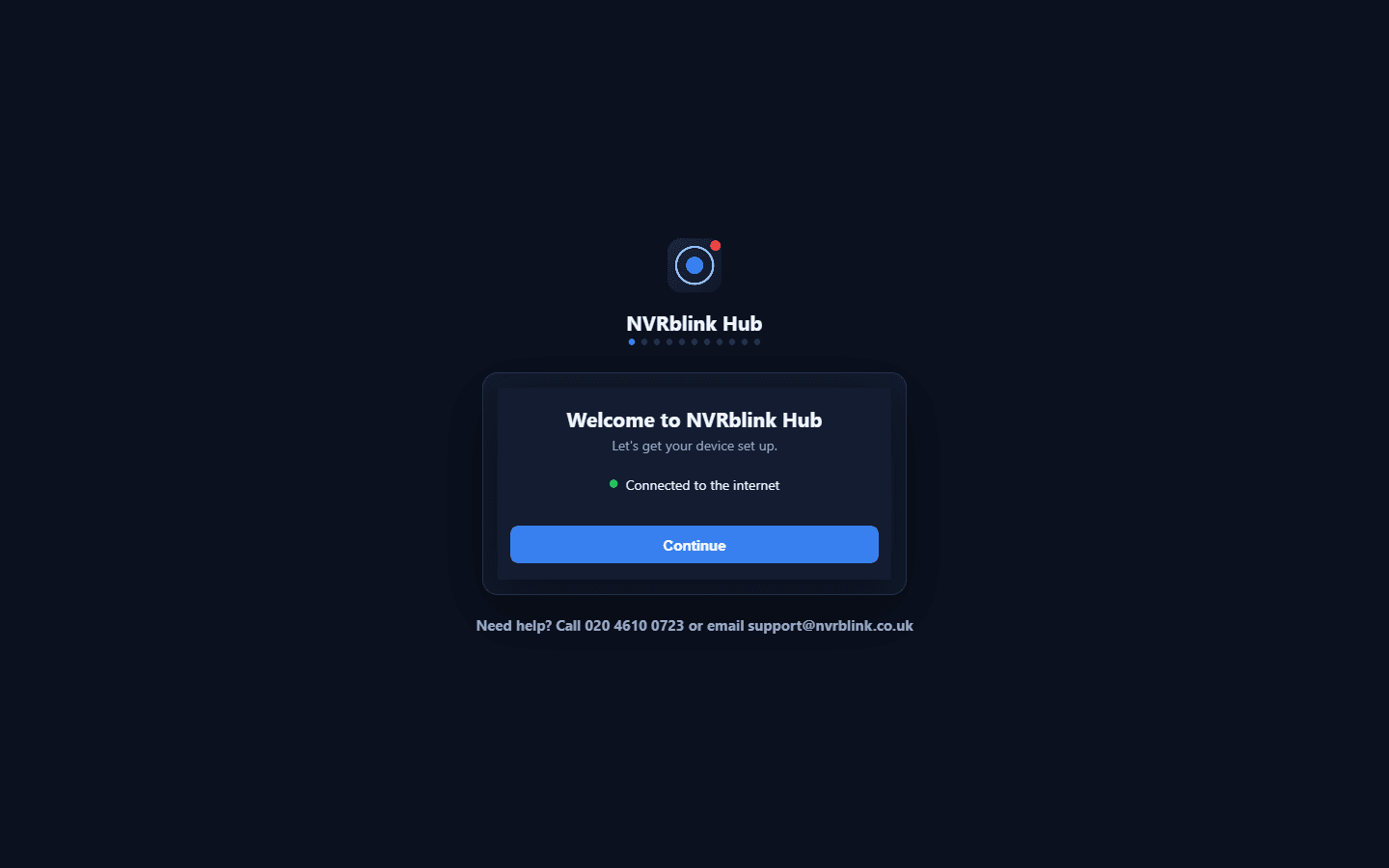
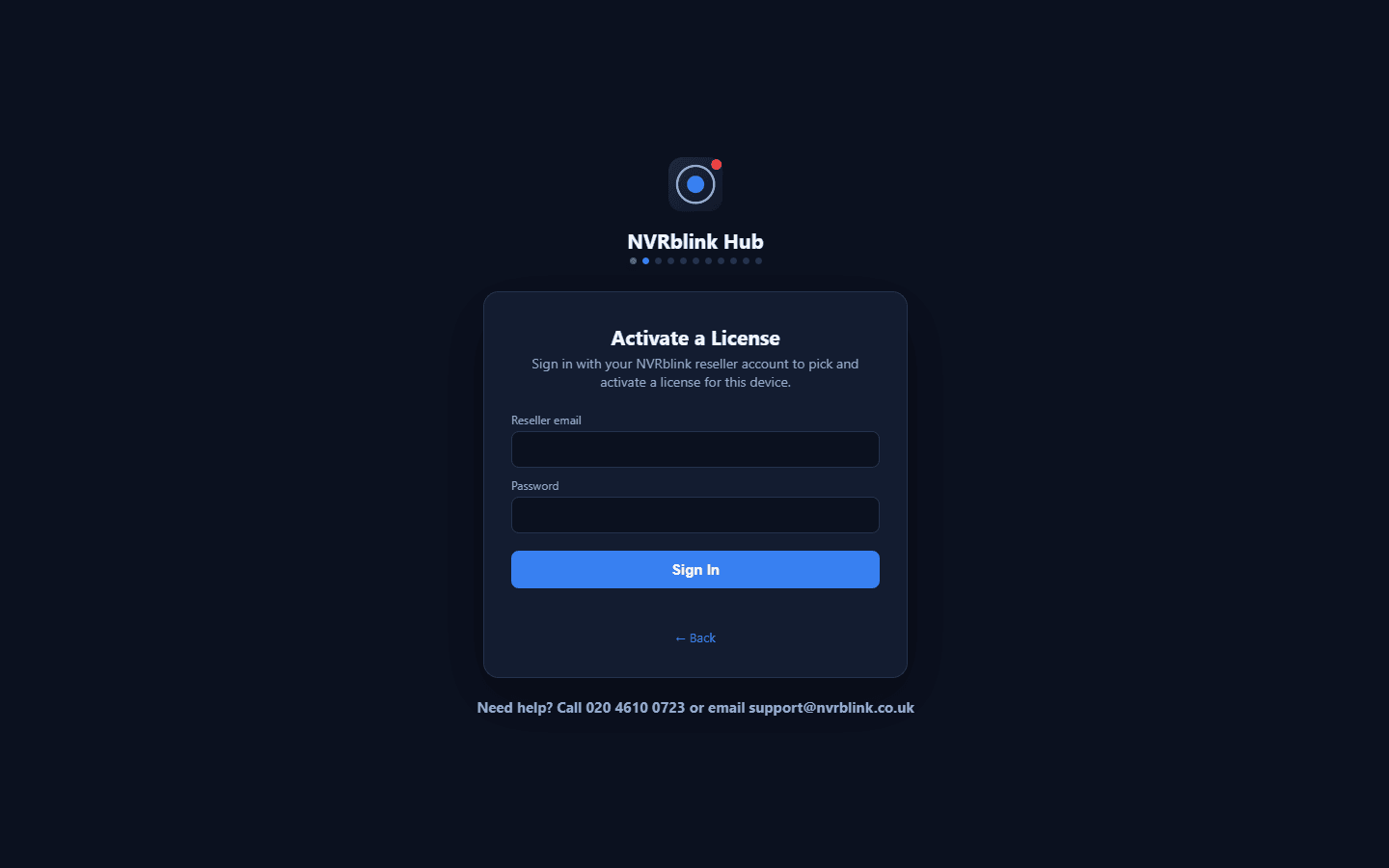
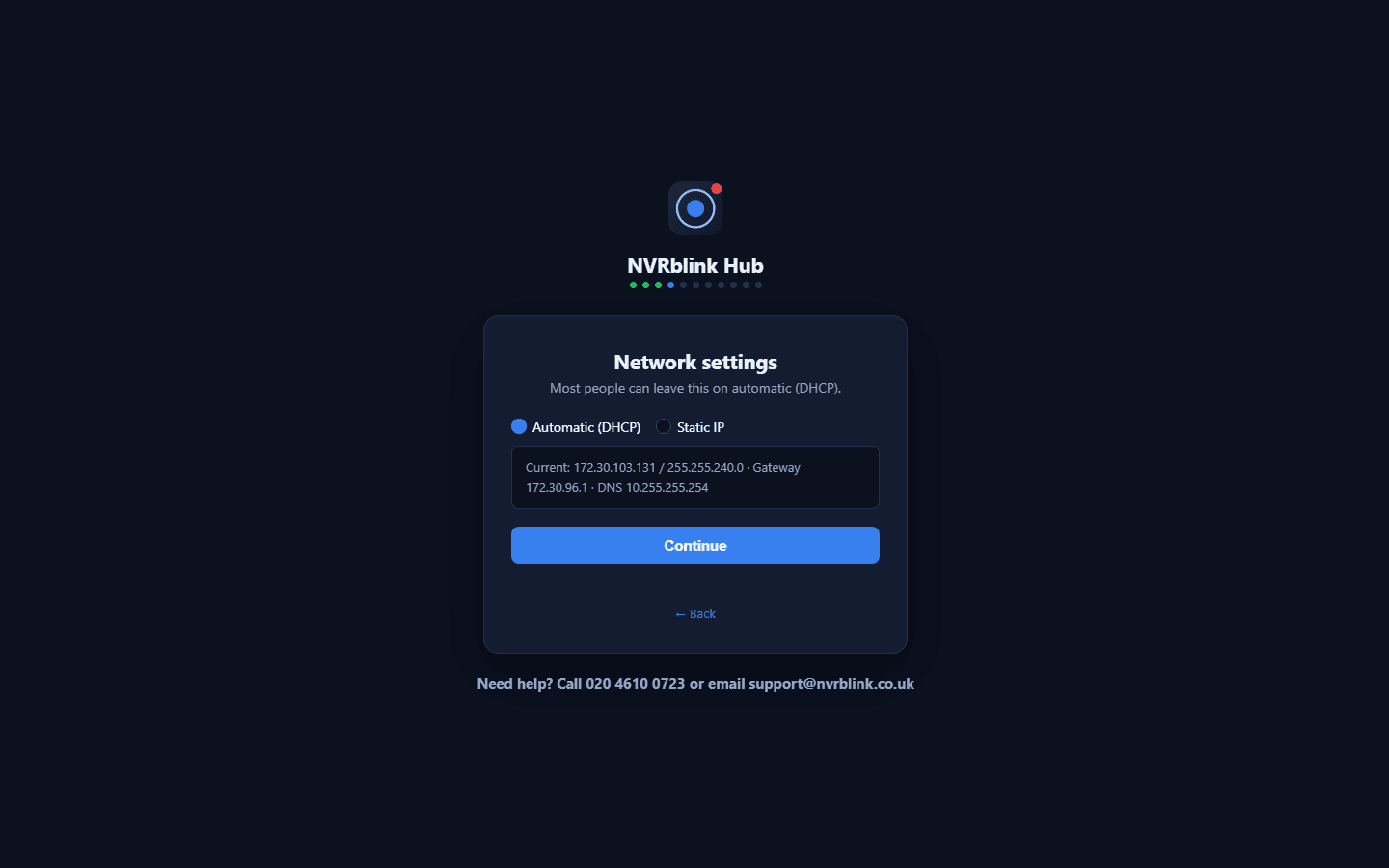
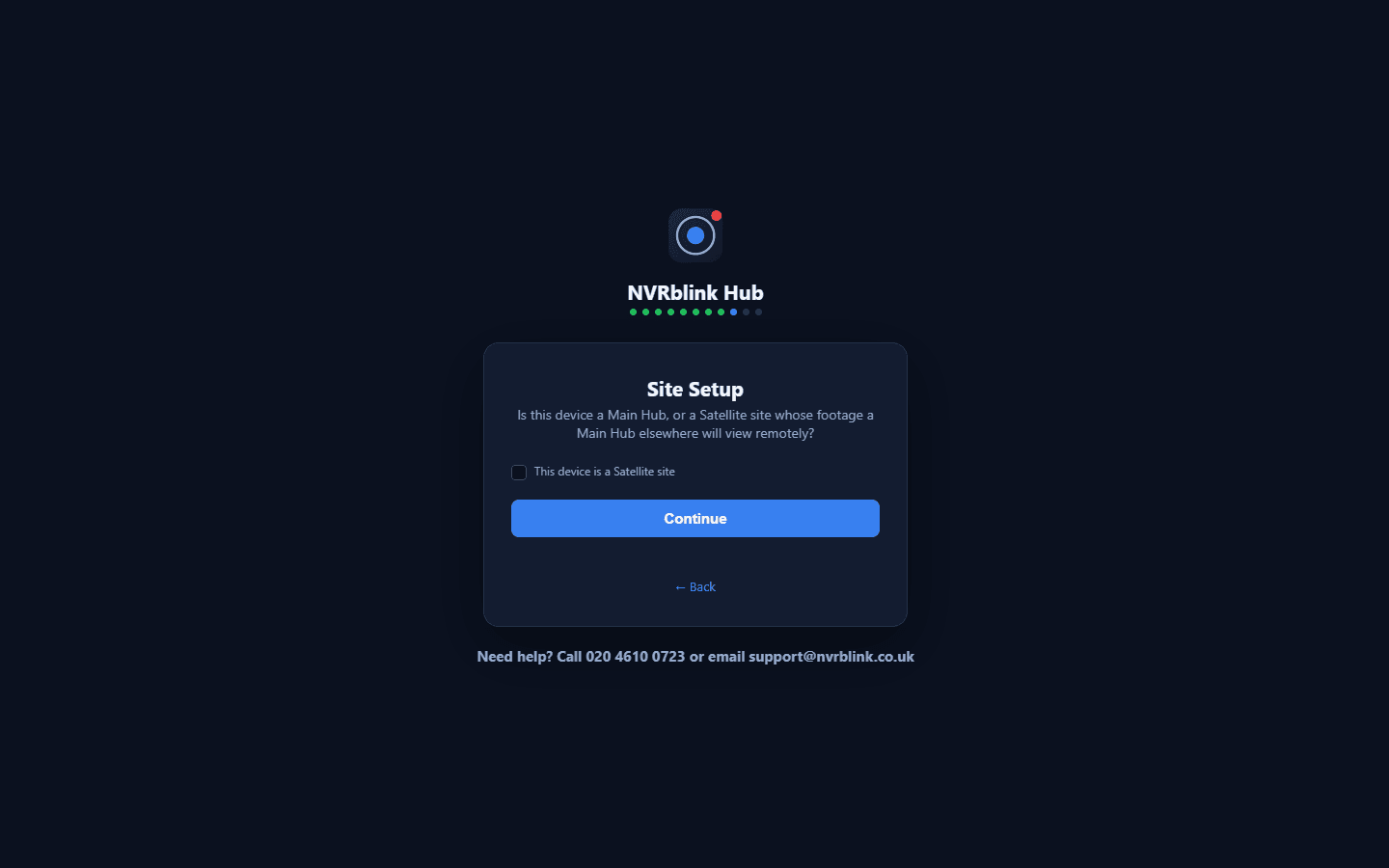
Real screens from the actual installer - connect to the internet, set the network, create the device login, choose Main Hub or Satellite, then find your cameras. A full walkthrough video is coming as launch gets closer.
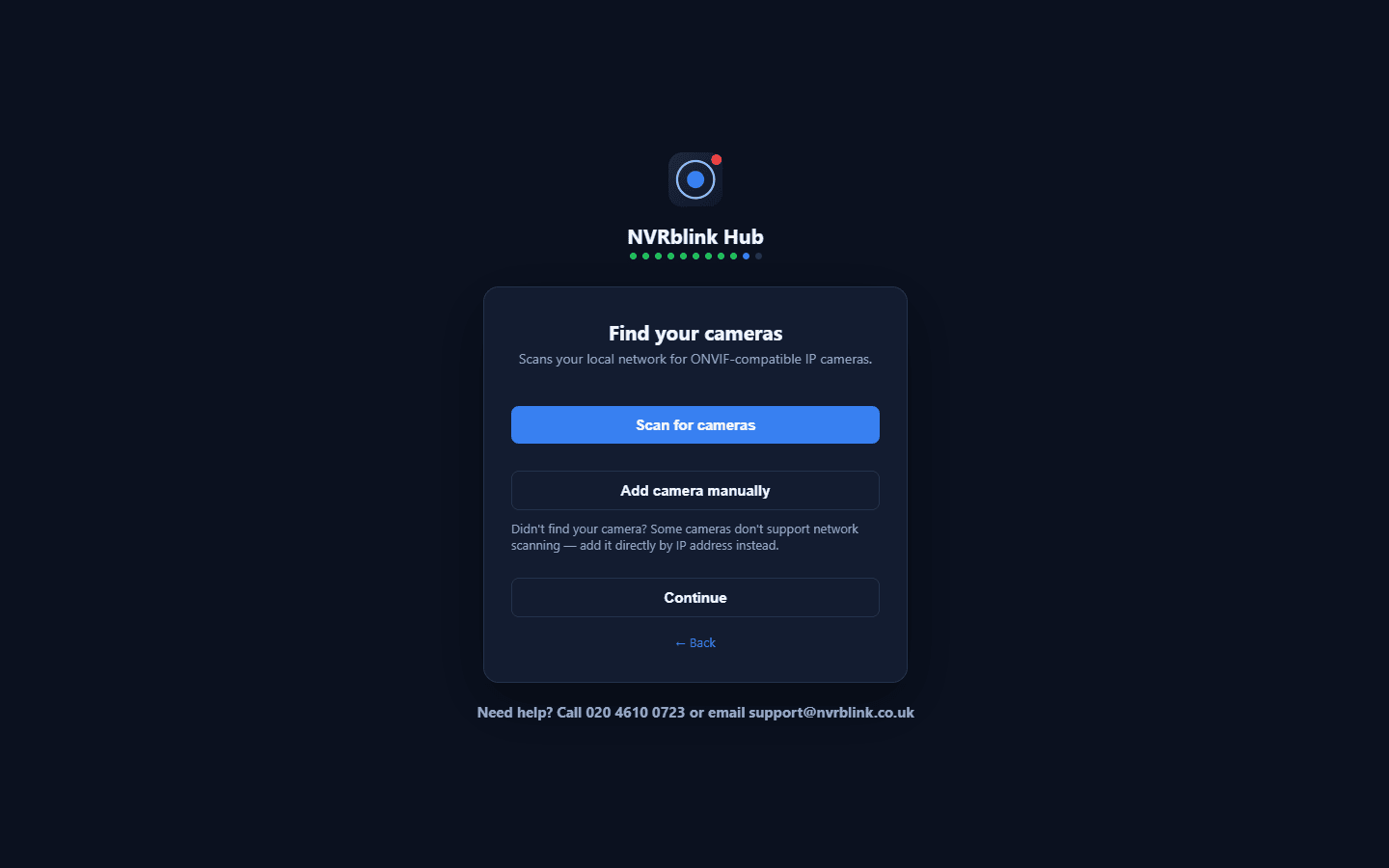
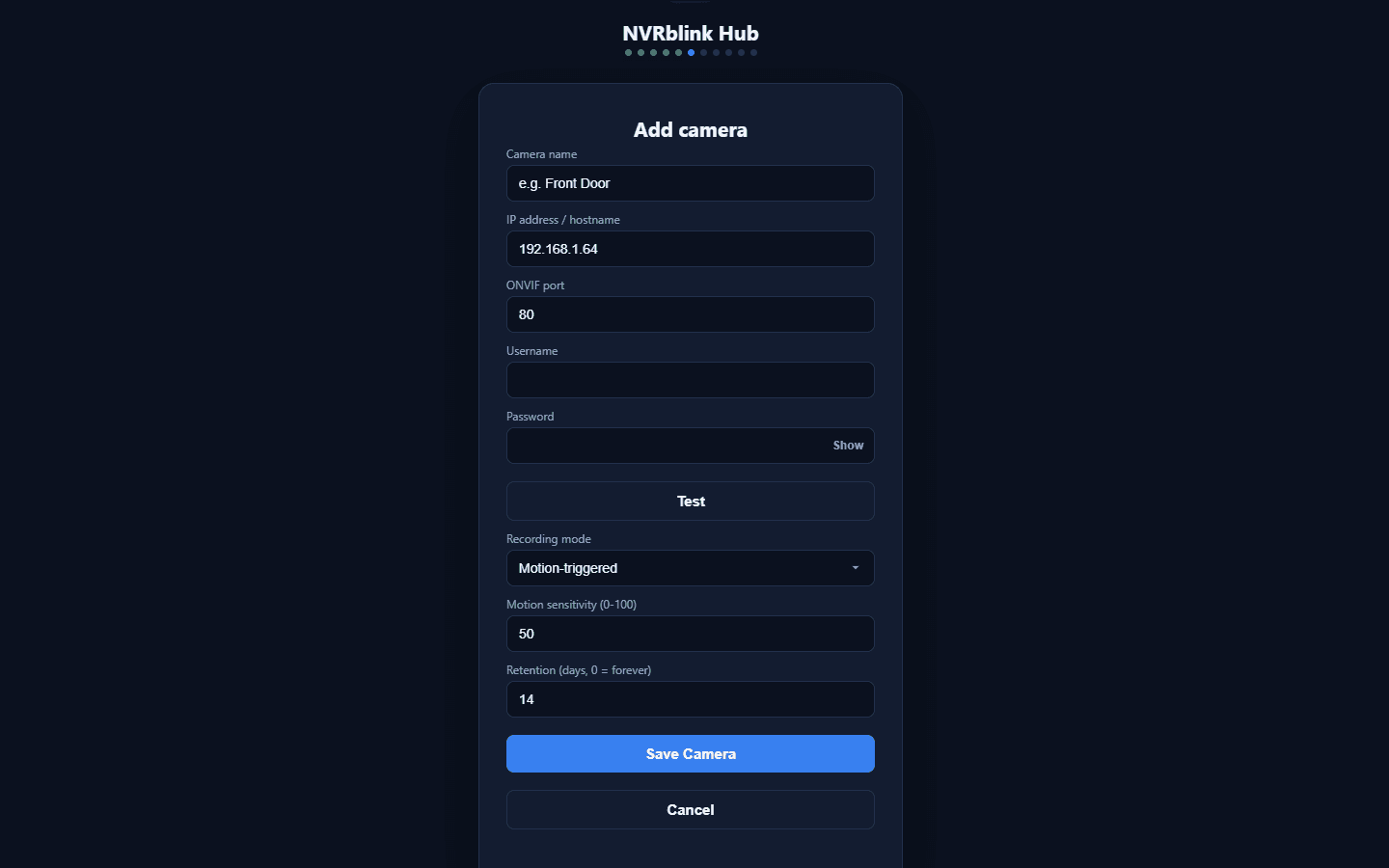
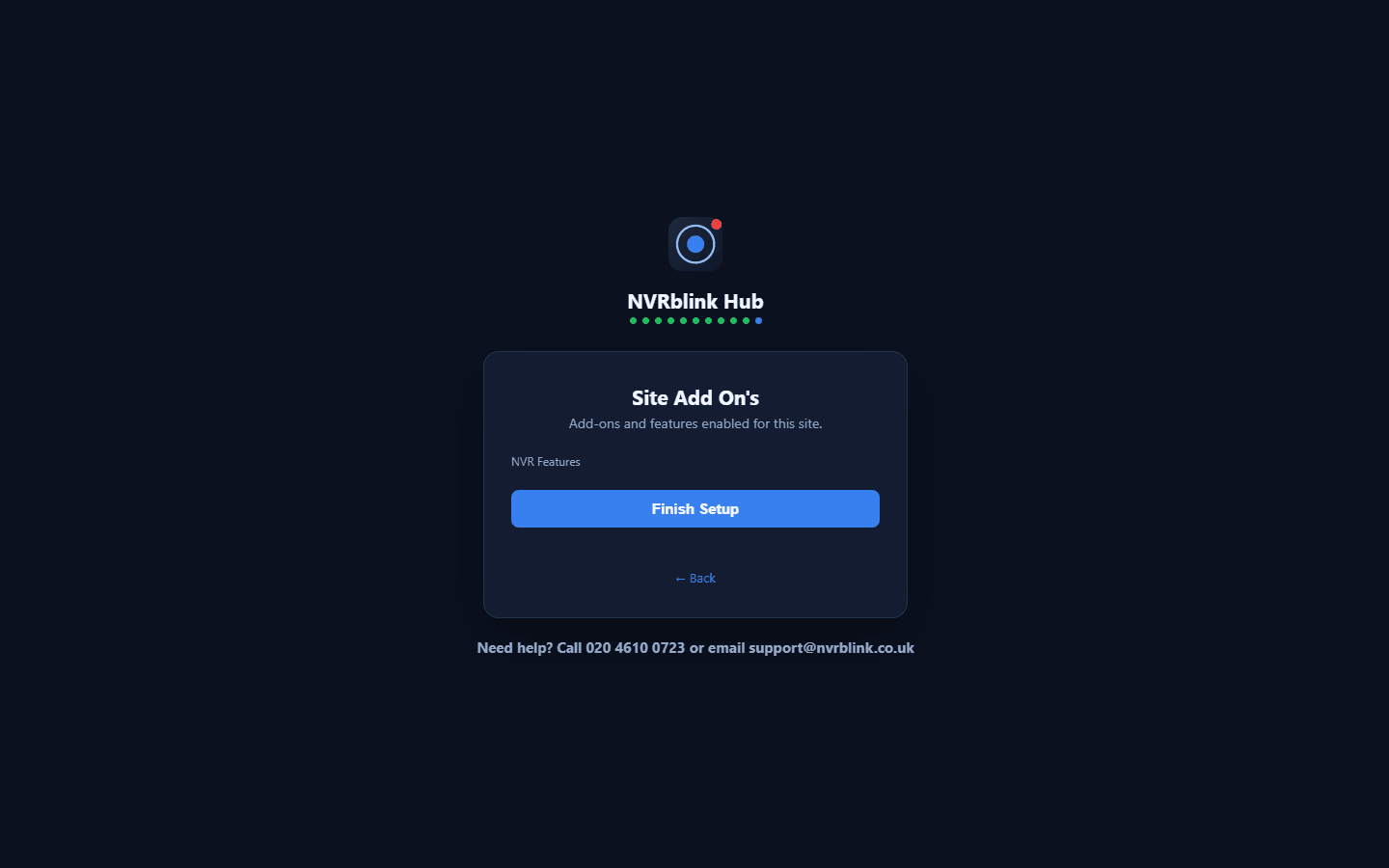
Live view, playback search, camera discovery, the audit log, data requests and diagnostics, on a real Hub.